
Tips To Protect Your Information
Here are a few tips to help you protect your information:
- Generally, if you receive a suspicious email from a financial institution or online retailer, do nothing. Do not reply to the email, or click on any of the links. Do not give any personal details to the sender.
- Do not provide personal information via email, unless you are certain of a person's authority to have the information.
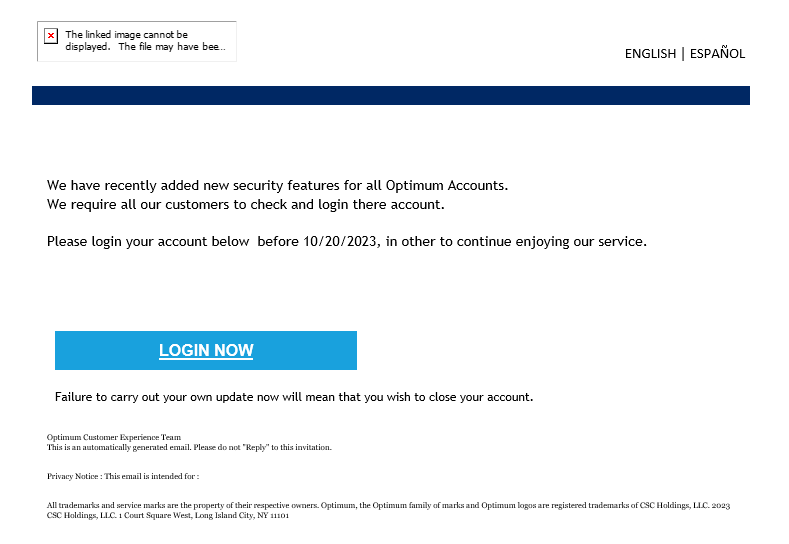
- If you get an email that warns you, with little or no notice, that your account will be shut down unless you reconfirm your billing information, do not reply or click on any link in the email. Instead, contact the company cited in the email using a phone number or web site address known to be genuine.
- Avoid emailing personal and financial information. Before submitting financial information through a web site, look for the "lock" icon on the browser's status bar. It signals that your information is secure during transmission.
- Review credit card and bank account statements as soon as you receive them to determine whether there are any unauthorized charges. If your statement is late by more than a couple of days, call your credit card company or bank to confirm your billing address and account balances.
- If you receive a text message that asks you to call a number you don't recognize or go to a web site to enter personal information, do not select the link embedded in the message. Simply delete the text message.
- Be suspicious of unsolicited phone calls, visits, or emails from individuals asking about employees or other internal information. If an unknown individual claims to be from a legitimate organization, attempt to verify his or her identity directly with the company.
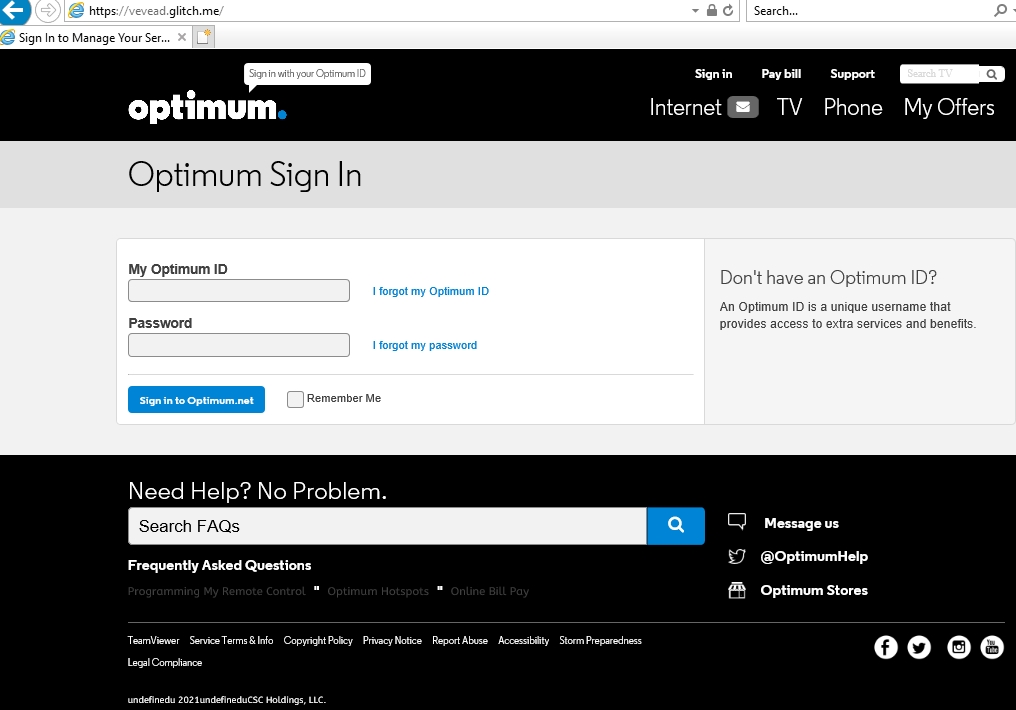
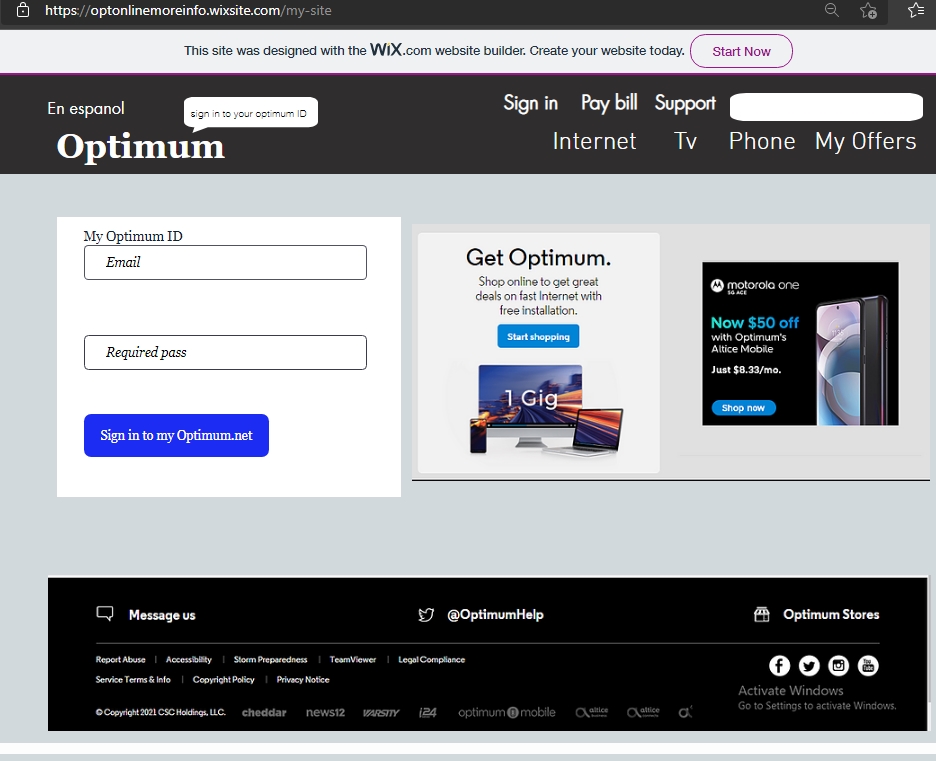
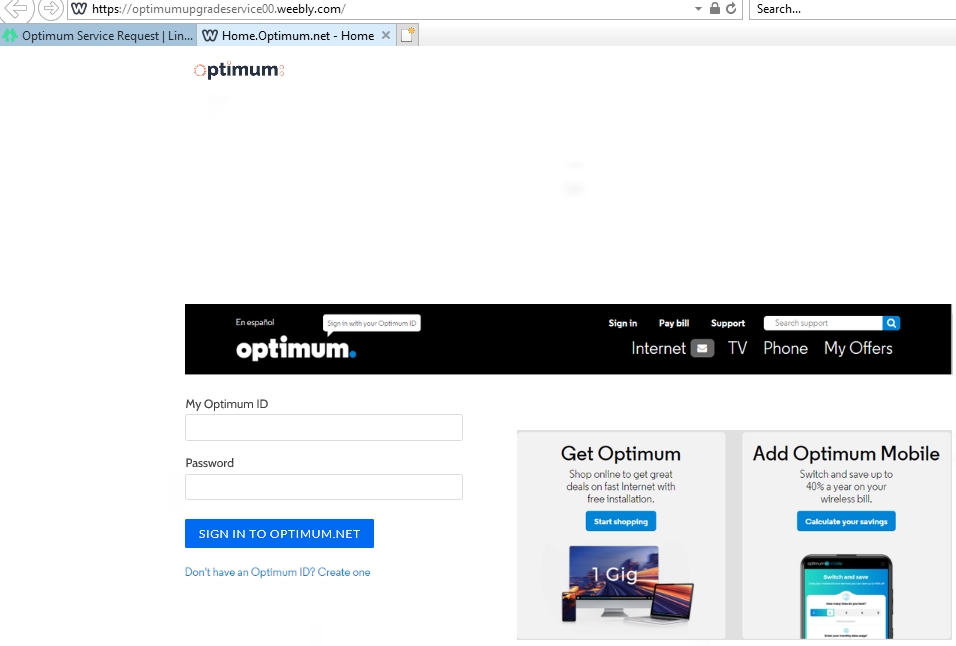
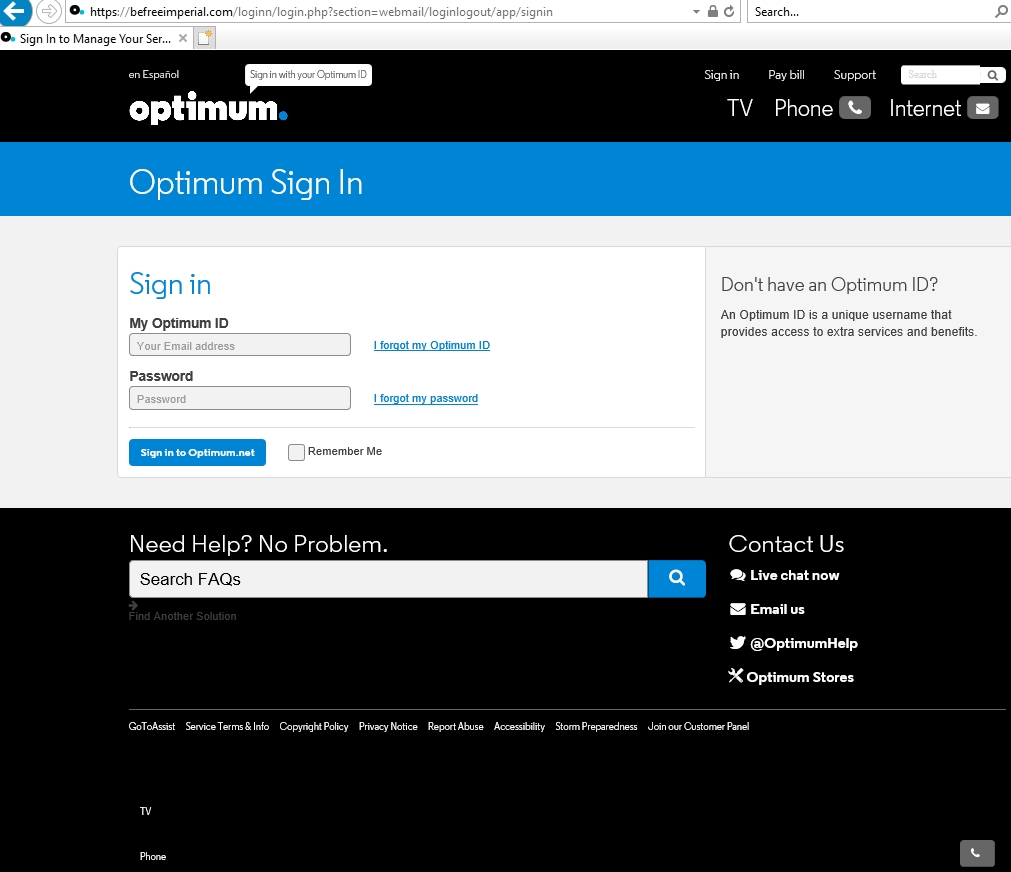
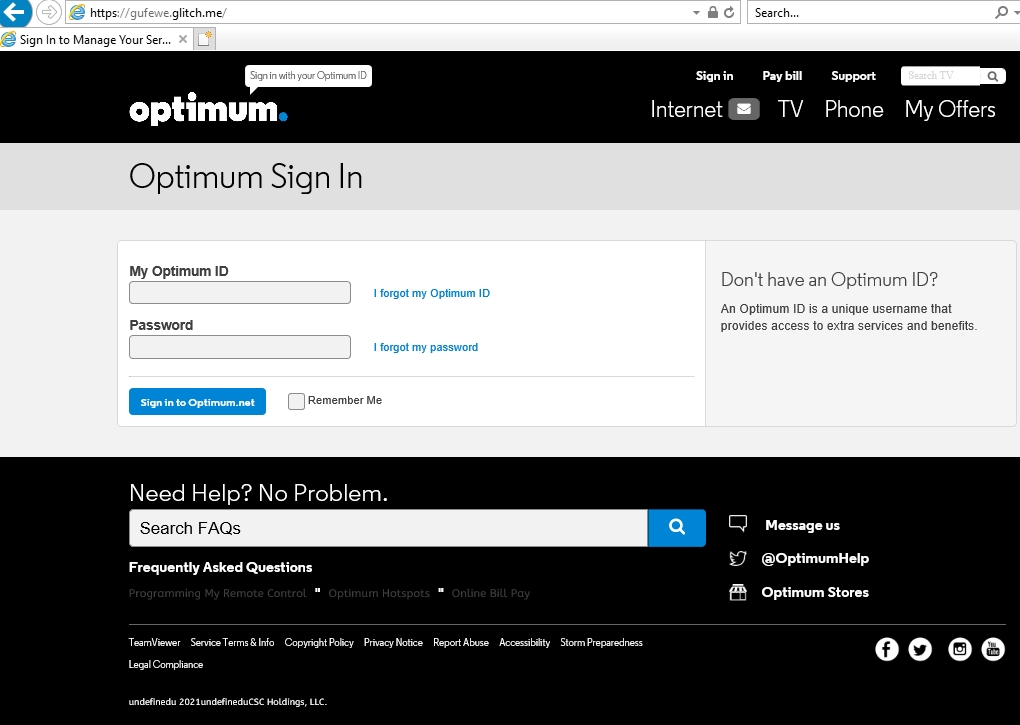
- Pay attention to the URL of a web site. Malicious web sites may look identical to a legitimate site, but the URL may use a variation in spelling or a different domain (e.g., .com vs. .net). Be aware that the true URL of a link is often masked in the email text, so never click on hyperlinks within emails. Instead, copy and paste them into the browser.
If you're unsure whether an email request is legitimate, attempt to verify it by contacting the company directly. Do not use contact information provided on a web site connected to the request; instead, check previous statements for contact information.
Types of scams
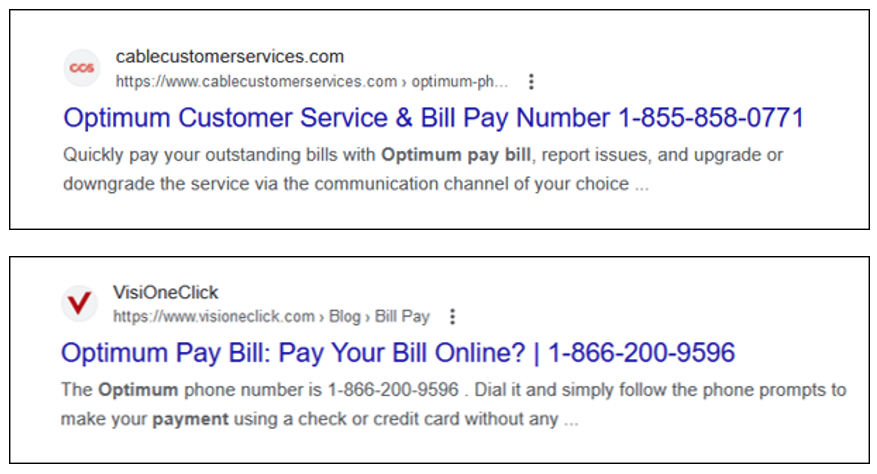
Recently, we have seen an increase in fraudulent third-party websites and fake phone numbers online claiming to be Optimum. Listed below are a few tips that may help you avoid becoming a victim of fraud:
- Do not use search engines (Google, Bing, Yahoo!, etc.) to pay your bill online or find our phone number. The best way to reach us is via our website optimum.net or optimum.com or the phone number printed on your bill.
- We will never ask you to make a payment by gift card, wire transfer, cryptocurrency, payment applications (Venmo, Zelle, Cash App, PayPal, ETC.) or other nontraditional methods.
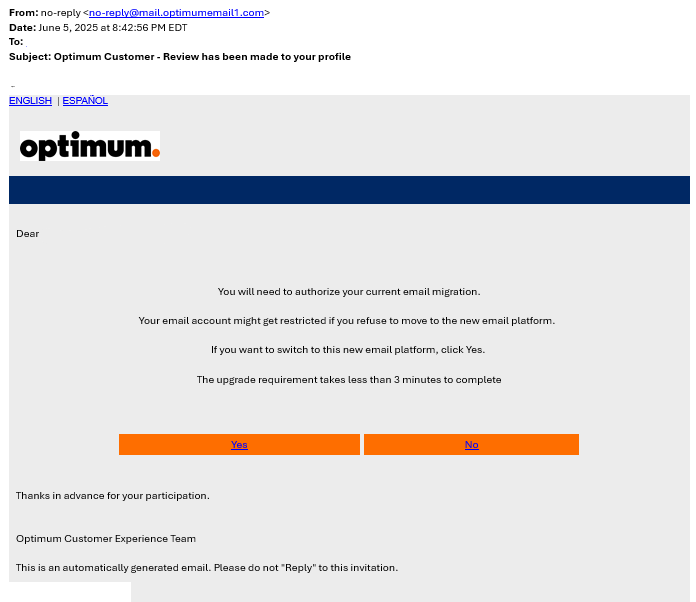
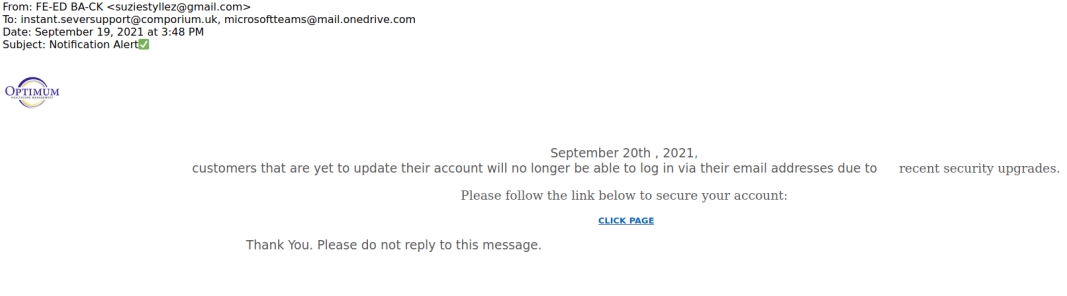
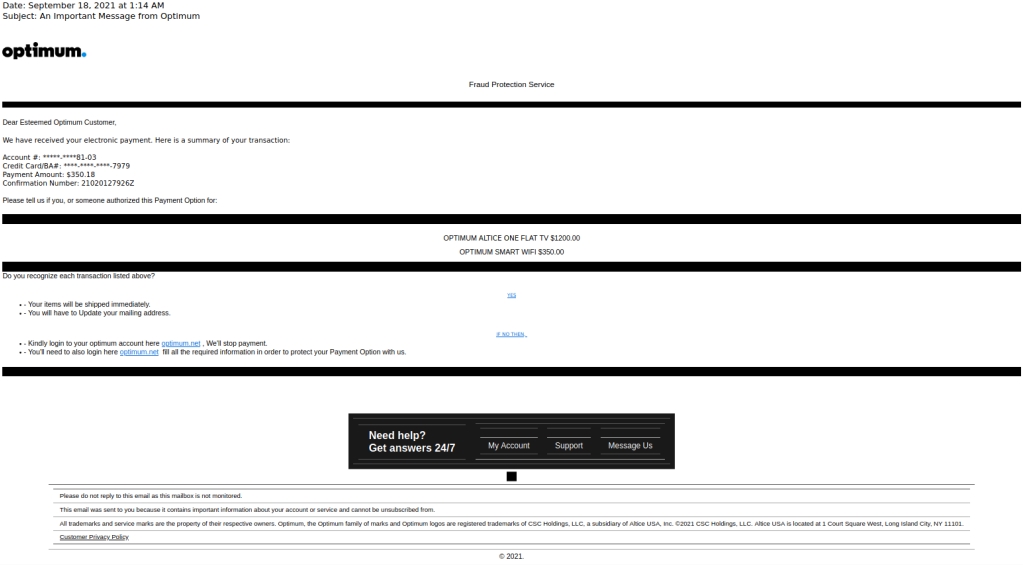
- Optimum will never send you an email asking you to click on a link to make a payment.
- Optimum will never call you stating there is an issue with your equipment and a payment is required to fix the issue.
If you are ever in-doubt that you are talking to an Optimum Care Specialist, hang up the phone and call either the number on your bill or the support number on the Contact Us page.
Here are some examples of the latest payment scams:
Security Alert: Uninstall QuickTime for Windows
According to the U.S. Department of Homeland Security, it was recently discovered that, if a customer has QuickTime for Microsoft Windows installed on their PC, it could allow online attackers to easily infect their computer when browsing compromised or malicious websites. QuickTime for Windows is an Apple product, and Apple is no longer providing support or security fixes for it. Therefore, security software companies and the U.S. Department of Homeland Security recommend that customers uninstall QuickTime for Windows to protect themselves from potential online threats. Customers with QuickTime for Mac are not affected by this issue.
Many web browsers, including Internet Explorer, Mozilla Firefox, and Google Chrome, provide media player functionality similar to that of QuickTime and can serve as alternatives going forward.
For more information, or to learn how to uninstall QuickTime for Windows, please visit:
https://blogs.mcafee.com/consumer/consumer-threat-notices/quick-time-uninstall-quicktime-windows/
While there are numerous variations of these types of extortion scams, the most common scam references a password that may have previously been used. It will often state that the e-mail was sent from your personal e-mail address, proving it was compromised. The scammer may also state that your computer was infected with malware from a website you visited and that they were able to record you from your system(s) camera.
Here are some key tips and resources that may help:
- Most passwords seen in these scams appear to be obtained from data breaches that occurred years ago. If the password referenced is still being used anywhere, make sure you change it as soon as possible. Using a strong, unique password and two-factor authentication when possible is always recommended for all your accounts. To change your Optimum password please visit https://www.optimum.net/profile and under Personal Information, click on Change Password.
- If the e-mail appears to have come from your own e-mail address, it was likely spoofed (faked) and not sent from your account. Do not click on any links. Mark the e-mail as spam and delete it right away.
- Do not respond to the scammers and don't panic; they are trying to scare you into paying a ransom in exchange for your peace of mind. In the chance your device(s) may have been infected with malware, download Internet protection powered by McAfee, from https://www.optimum.net/protect after signing in with your Optimum ID and password.
- If you are concerned that your device(s) or password(s) may have been compromised, a good open-source website to check is https://haveibeenpwned.com. Although this site is not owned nor maintained by Optimum, this website can be used to verify if any of your personal data has been compromised in a data breach.
As you may be aware, many organizations across the world have been impacted by the ransomware known as Petrwrap, Petya or similar names. The exploit is similar to the Wannacry outbreak from May 2017. At this time, none of the infections reported have been introduced within our internal US systems. Altice USA employs best practices for endpoint protection, vulnerability management, and perimeter defense; the following practices have been effective in preventing this malware on Altice USA's (Cablevision and Suddenlink) networks:
- Endpoint protection (e.g., antiviral software) assures software for detecting malware is deployed and up dated, including updates to specifically detect the reported ransomware.
- Vulnerability management ensures networks and systems are inspected for vulnerabilities and remediated through patching at regular intervals. Our systems have been updated with the Microsoft-recommended critical patch for protection against the reported ransomware.
- Perimeter defense restricts network traffic including a specific policy to block Windows Systems traffic from external sources therefore preventing the spread of the malicious ransomware.
Our security operations continue to monitor for indications of the malware and are staying connected with our security partners and federal agencies for situation updates. While we certainly have taken additional action to protect both our network and that of our customers, it remains incumbent on our customers to take similar action to protect their own networks.
Be aware of seasonal IRS scams
As we head into a new calendar year and approach the common April 15th filing deadline for income taxes, Optimum customers should be aware that scammers have continued to evolve tax season-related schemes. The U.S. Government's Internal Revenue Service (IRS) does not solicit payments from people via email or websites. The IRS does not accept payments on pre-paid debit cards (such as GreenDot or similar).
If you have received a phone call or email claiming to be from the U.S. Government or the IRS that requests you to make a payment using a pre-paid debit card, please be aware that this request is fraudulent. Do not follow the links provided in these emails. Callers that ask you to visit websites or type commands into your computer could be attempting to infect your computer with malware that could allow the scammers to access your computer, render your files (documents, photos, etc.) inaccessible, detect the passwords you type, and commit other fraudulent activities.
As your security is very important to us, we encourage you to:
- Be wary of unsolicited calls and emails asking you for payments, especially using pre-paid debit cards.
- Be wary of phone calls and emails requesting payment or personal information by individuals claiming to be from government agencies.
- Use a quality security suite that includes anti-malware, browser protection, and a password manager. Optimum Internet customers can opt to purchase Internet protection powered by McAfee® to protect up to 20 devices.
For more information about IRS-related and other phishing schemes, visit the following:
https://malwaretips.com/blogs/green-dot-moneypak-virus/
https://www.irs.gov/uac/Dont-Take-the-Bait-Avoid-Phishing-and-Malware-to-Protect-Your-Personal-Data
http://home.mcafee.com/advicecenter/?id=ad_spam_ttps
At Optimum, the security of your computer and personal information is our priority, so we're advising our customers to be aware of a phone scam that is targeting computer users. The scam usually begins with a phone call from someone claiming to be a tech support expert from Microsoft, Optimum or some other well-known technology company. The "expert" claims that your computer is infected with a virus or is sending error messages. In order to fix the "problem," the scammer asks for remote access to your computer to check for threats. Once the scammer is given access, they not only have access to all your information, they also seek a fee for the "service" provided.
Optimum never makes unsolicited phone calls to our customers. If you get a call from someone who claims to be tech support, hang up and call immediately contact us. Please keep in mind that web search or directory service for the Optimum Customer Support phone number might yield fraudulent results, which could lead you contacting a scammer unwittingly. For your safety, please make this page your first stop to find all the correct, secure and verified contact information to reach us 24 hours a day.
Optimum customers are advised to be aware of a recent virus, that once loaded on a computer, displays a page claiming a copyright violation has occurred. This page "freezes" the infected machine, and demands payment of a fine to restore normal access.
If you are experiencing this issue on your computer, do not follow payment instructions.
For more information:
http://malwaretips.com/blogs/green-dot-moneypak-virus/
http://www.microsoft.com/security/portal/threat/encyclopedia/entry.aspx?Name=Trojan:Win32/Reveton.A
http://www.f-secure.com/v-descs/trojan_w32_reveton.shtml

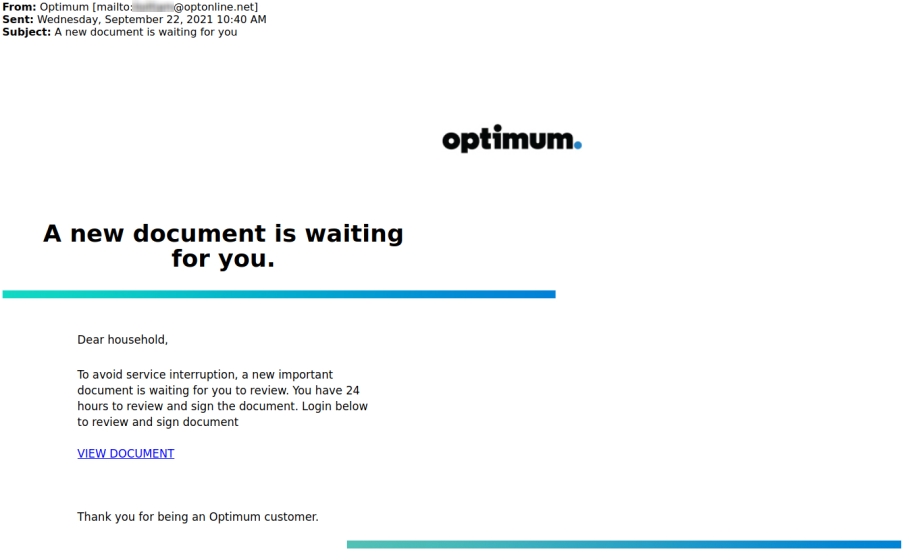
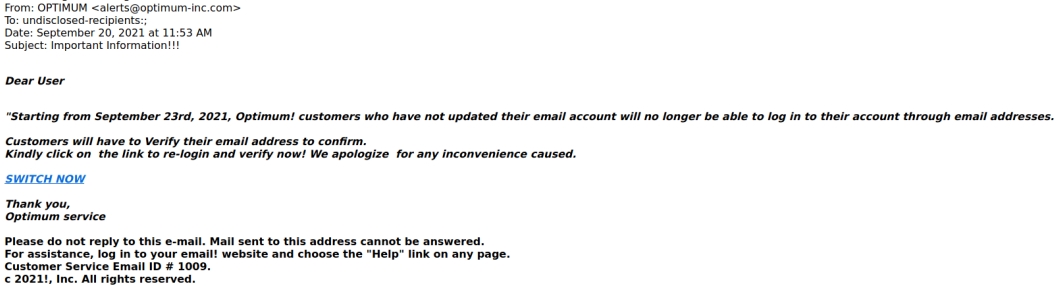
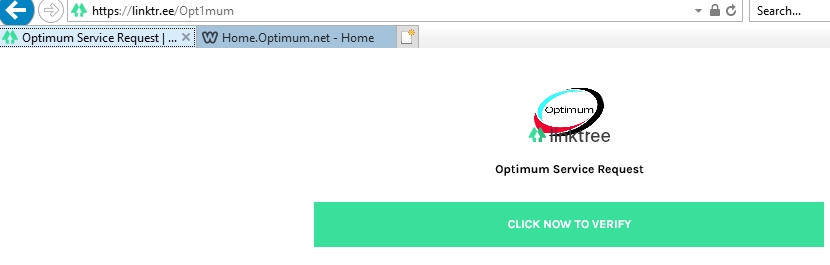
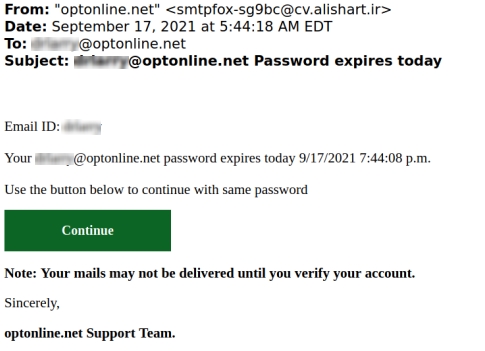
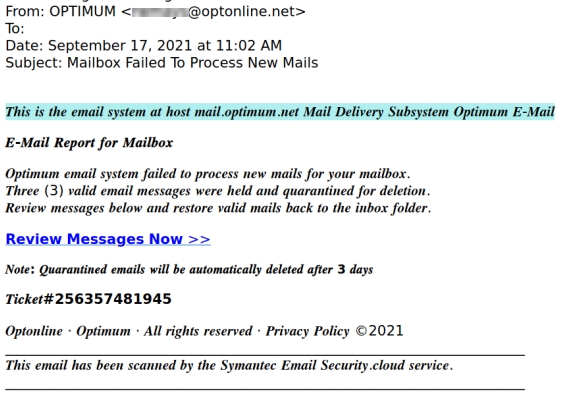
Scammers will contact you through emails, phone calls, or text messages with an offer that sounds too good to pass up or a threat to discontinue a service you rely on if you don't respond right away. The message often contains a link where you are prompted to enter your username and password, or it will launch malicious software that gives scammers access to your data.
One type of attack scammers use is a fake password reset message. In these types of attacks, a scammer will call you or send a phishing email or text telling you that you must reset your password or provide information to verify your account.
Learn how to spot a Phishing email.
Optimum will never contact you requesting personal information or passwords.
If you responded to an email of this nature, you should reset your password and immediately contact us.
Resources /Security tools
Protect yourself from payment fraud, for tips on how to safely pay your bill, visit www.optimum.net/waystopay
Optimum Internet subscribers can opt to purchase Internet protection powered by McAfee, for more information, visit https://www.optimum.net/pages/security/mcafee.html